 COME
COMECOME Game Settings and Help: Where to Start
Settings controls app preferences, while Customer Center organises help for a specific problem. Knowing which area handles your task can save an unnecessary reinstall.
Read the Settings controls
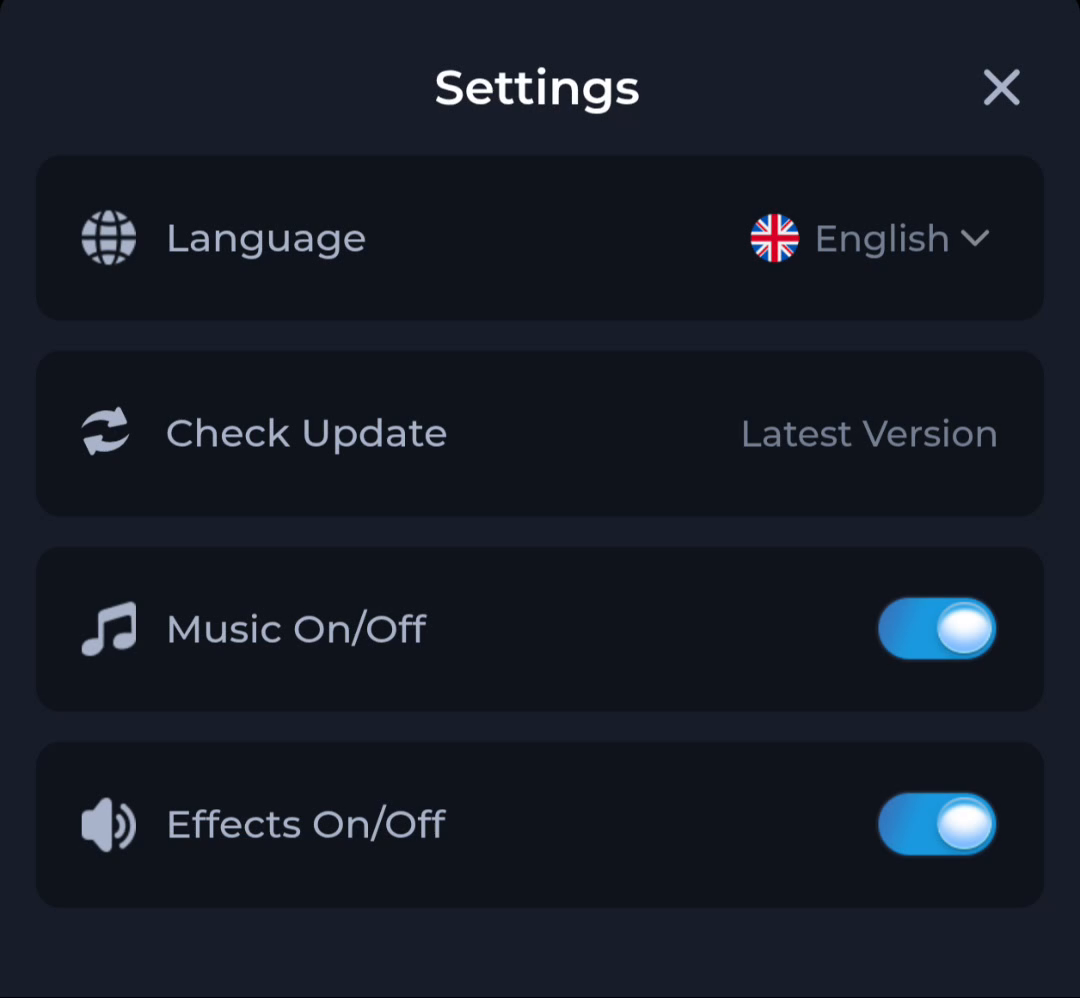
- Language: the screen shows English selected. Check the options in your installed version before choosing a different language.
- Check Update: use the current control to ask about an update; the screenshot’s status is only an example.
- Music On/Off: changes the app's music setting shown on this screen.
- Effects On/Off: a separate effects control shown alongside it.
Changing an audio setting is different from changing Android’s system volume. If audio is missing, review both the relevant app control and your device’s sound settings. The image does not verify whether the current app automatically saves each preference.
Pick the help topic that matches the symptom
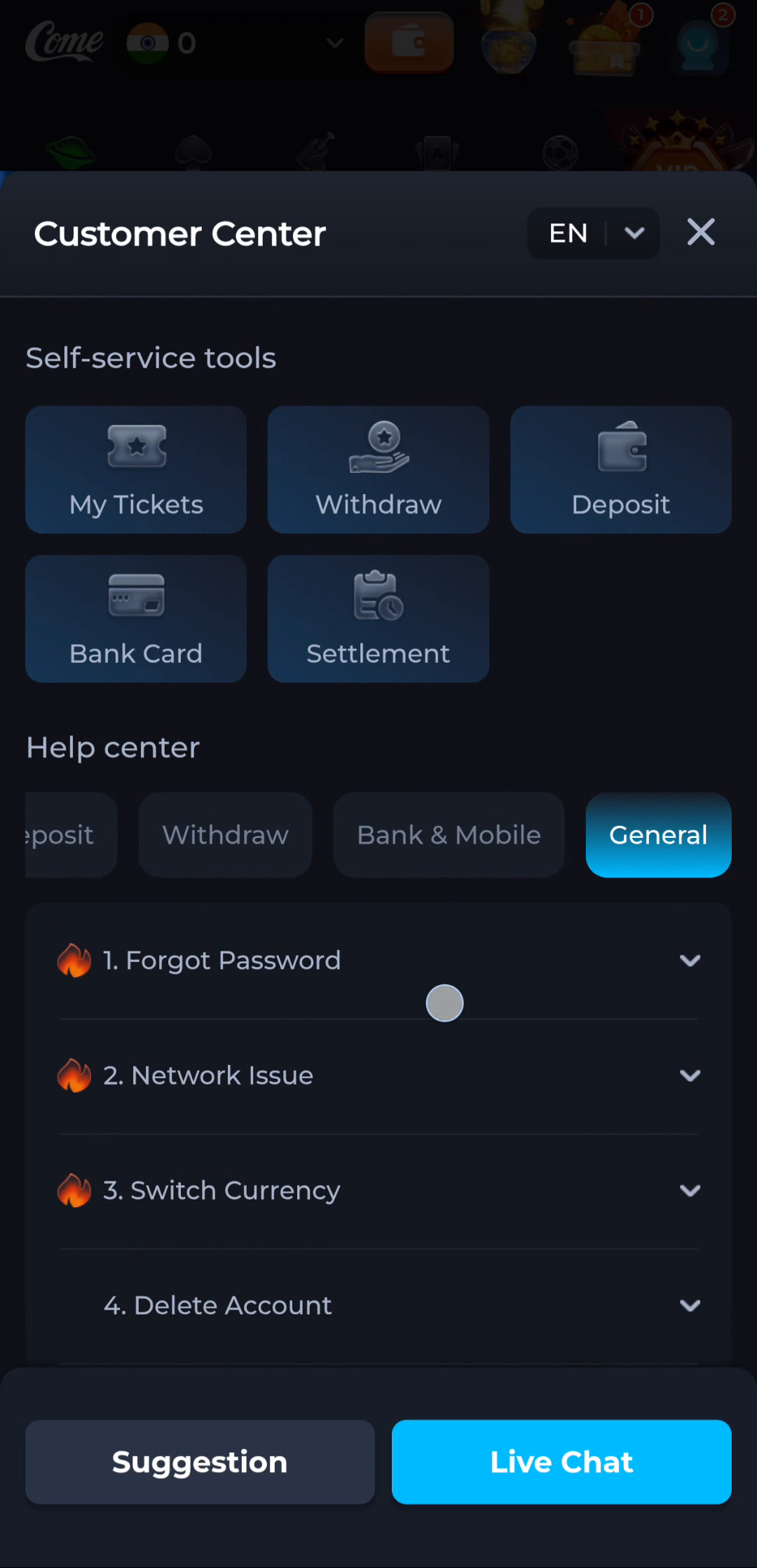
Customer Center's General category includes Forgot Password, Network Issue, Switch Currency and Delete Account. Choose the topic that matches the issue, then read its instructions. Opening a help topic does not itself submit or complete a request.
- Describe the problem in a sentence, such as being unable to sign in or a page failing to load.
- Choose the matching category or topic in the current interface.
- Read the instructions before changing app data or installation.
- If you need product support, use the support route displayed by the product and keep private credentials out of screenshots.
Keep installation and account help separate
An app that opens has already passed the installation stage. A password or code issue after that point needs account guidance. For a problem that stops the APK from installing, use the Android installation guide instead.
Read installation-error guidance
Why your screen may look different
Versions, screen size and language can affect the layout. Follow the labels on your current screen rather than expecting a control to stay in the same position.
Reading this guide does not change an app setting or submit a support request. Account actions and support requests take place within the product service.